4 Motorcycle Trip & Ride Planning Apps! Which is Best For Street or Adventure Riding?
I get asked all the time, “Ryan, what is the best motorcycle trip planning app and which one do you use?” So, in this video and article, I am going to go over 4 popular motorcycle trip planning applications for street and off-road adventure riding. And, what you need to know about each because they all have strengths and weaknesses. Understand, there is no perfect motorcycle trip planning app and much of it will depend on your personal needs. (see detailed video below)
Now, I’ve used these 4 apps over the years and have many experiences with them. Except for Indian Ride Command, which I more recently started using and testing. But, I have a good handle on it.
I am not affiliated in any way with any of the companies that produce these motorcycle trip planning apps and am speaking as a regular consumer and it's based on my personal experience. I hope that by me sharing my experiences it may help other riders like you make a choice on which app might work best for your motorcycle trip planning.
Some of these apps allow you to create a trip on a smartphone, but with all of them, it's cumbersome and time-consuming to do so. The best way to plan a motorcycle trip using these apps is via a desktop computer or an iPad app if it's supported. All the apps I am going to talk about do have cloud syncing between devices for planned rides. If using a desktop computer to plan a ride, it's very helpful to have a trackpad so you can pinch and zoom the maps as you are planning, making things quicker.
Also, understand that when exporting a .gpx file from any of these apps and then uploading that file to another app or device, they don’t always talk nice and there are often route deviations that need to be corrected.
Two of these motorcycle trip planning apps are free and two are paid options. Now, although we all like free stuff, the drawback is that when there are issues and bugs, it may be a lot longer before they are fixed. And, good luck getting a response to your emails from anyone about the reported issues. With a paid subscription, when an issue or bug arises, a company usually listens and issues are fixed more timely. Plus, there are more frequent app updates based on user feedback.
Here are the details of the 4 motorcycle trip planning apps I have used and tested in no particular order.
#1-Harley-Davidson Ride Planner
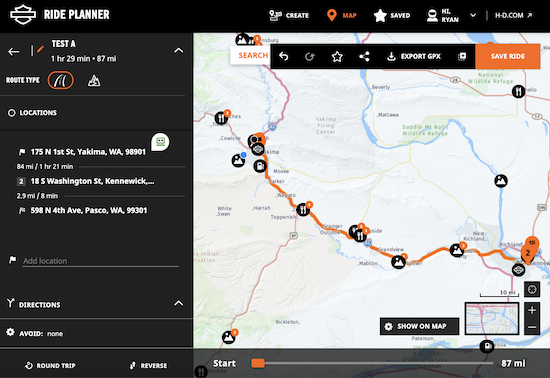
Harley Ride Planner has a free online account for anyone and you plan your rides on the website. Now, Ride Planner has had issues on and off over years but it has come a long way and is becoming more and more polished over time. It has become a serious competitor in the motorcycle trip planning app arena.
Harley Ride Planner
There are 4 map styles to choose from, such as regular or satellite, and plenty of filters such as gas stations, dealerships, events, restaurants, hotels. You can also avoid tolls, unpaved roads, etc. You can enter an address for a waypoint or just make a waypoint where you like. You can easily drag points around to guide your route where you want it to go. I really like that you can change the names for each waypoint and that it shows mileage/ride time between each waypoint. This way I can see the total ride time and mileage for each day of a long-distance multi-day ride.
Harley Ride Planner still has bugs when adding a new waypoint after the ride is already planned. It messes up the order of your waypoints and you then have to drag and drop waypoints to try and get the ride back in the correct order. We've been complaining about this for years now, which goes to my point about using a free option.
There is no 3D map option right now for Ride Planner and I hope they add that feature in time. I find this feature very important, especially to see the terrain when planning an off-road adventure ride. I also wish you could put dates/times on waypoints so you can get a better sense of your overall trip.
Finally, we can now import or export a .gpx file! This is a very recent addition to Ride Planner and something we have complained about for years. Prior to this, you could only export.
There is now both “on-road routing” and “off-road routing” with the release of Harley's first adventure motorcycle, the Pan America. Off-road routing basically allows you to put waypoints wherever you like, even where no roads are shown on the maps.
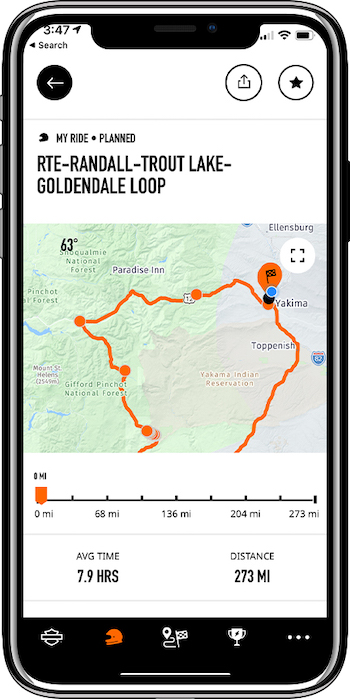
Harley Ride Planner has a mobile app for both IOS and Android but no dedicated iPad app. On mobile, you can get turn-by-turn directions, record a ride, get weather along your route, and download maps for offline use for those remote areas without cell service. You cannot reverse a ride on mobile but only on a desktop computer. Also, understand, that as of now there can be map deviations when cloud syncing between desktop and the mobile app.
After planning your motorcycle trip you can easily share a link with your friends or you can simply export a .gpx file to upload into your Harley Boom Box Infotainment System or another GPS device. You can also pass the ride from your mobile device via Bluetooth to your Boom Box. There are also other shared rides you can check out within Harley Ride Planner.
Harley Ride Planner is only supported on Apple Car Play at this time and not Android Auto.
I've been helping bikers around the world for many years flatten the learning curve on using Harley Ride Planner. This way you can spend less time learning and more time riding! Let me teach you how to use Ride Planner to its fullest capability.
Also, check my very popular Harley Boom Box Tutorial Video Series! The Boom Box is a very capable system but can be a bit confusing to learn along with hidden menus and functions. We'll get you up and running in no time and make it easy to learn!
#2-Rever
Rever
Rever is a paid motorcycle trip planning app at $5 a month, so $40 a year. It is one of the most expensive apps but it's a bit more than just a motorcycle trip planning app. It is also a social app with motorcycle communities within and the ability to share rides, progress, and more. Rever has one of the busiest, yet most polished user interfaces of all the apps. Honestly, it's so busy and has so much going on, that I oftentimes shy away from it. Law Abiding Biker Media does have a Rever community/group for our beloved Patron Members! It's just one benefit of becoming a supporting member. Join the #BikerRevolution
Rever is web-based and you can plan your rides on a desktop computer, IOS, or Android mobile. There is no dedicated iPad app at this time and Rever is only supported on Apple Car Play and not Android Auto. You can download maps of your ride to your mobile device for use offline in areas where there is no cellular service.
One of the best things about Rever is that it has Butler Maps incorporated within. This allows you to find roads such as best roads, better roads, good roads, lost highways, paved mountain trails, and featured dirt roads. And, there are different color codes for the different types of roads, making them easy to find. If you've ever used Butler Maps you'll definitely appreciate this feature. Oftentimes, I go to Rever to see Butler Maps and then return to other mentioned apps as they are less busy.
Rever has 4 map styles to choose from to include 3D maps, which should be standard on any motorcycle trip planning app these days, in my opinion. Rever has plenty of filters such as fuel, lodging, camping, and
food. You can also avoid tolls, Ride twistys, unpaved roads, etc. You can easily enter addresses for a start/endpoint and drag your route around as you like. I do not like that you cannot name the waypoints and it does it for you by address. I really hope they add this functionality in the future as I feel it's essential to get a good overview of a multi-day motorcycle trip.
Rever only gives a total trip time/distance and does not show that information between waypoints, which I also feel is essential and hope they add in the future.
You can import or export .gpx files and easily share a link to your planned rides.
#3-InRoute
InRoute
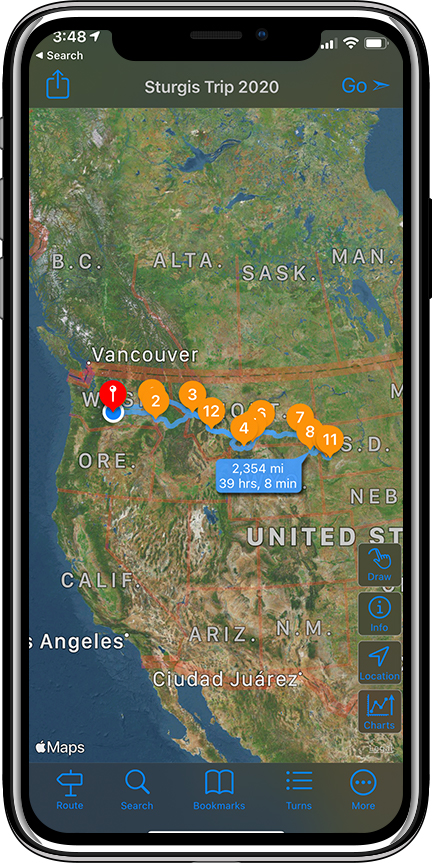
InRoute is another paid motorcycle trip planning app at $30 a year, which is 1/2 the price of Rever. It is unique to all the others in that it's not necessarily web-based. You don't go to a website to plan your ride but instead must have the desktop app. And, InRoute is for Mac and IOS only. It's not PC or Android supported. Also, InRoute is Apple Car Play compatible but not Android Auto.
InRoute is also unique in the fact that you don't drag your routes around but instead drop pins to get the desired route. If you don't get the desired route at first, then you have to uncheck the waypoint and drag the pin to another location. You can also just delete a pin or rearrange the pins in the route box by dragging them around. This method is definitely not as fast as simply clicking on a route and dragging it around but once you get proficient, it's not that bad.
InRoute has been around for a while and is very robust. It doesn't have any fluff like Rever and it solely focuses on motorcycle trip planning. It has a very clean user interface and just works well with no major glitches. It also has a beautiful and full-featured iPad app and you can plan rides similar to using the desktop app. If you like planning rides on an iPad then this is certainly the app for you. InRoute is a workhorse of motorcycle trip planning and I especially like it for off-road adventure rides but use it for street ride planning all the time.
I like that you can make bookmarks/folders and then organized your planned rides inside them. I really like that you can custom name your waypoints and color code each pin to mean something different. Additionally, you can see your hours and mileage between waypoints and there are 3 maps to choose from, including 3D maps.
InRoute does have filters to avoid tolls, ferries, ride most curvy or least curvy roads, and more. However, it does not have filter sto show things like fuel, lodging, camping, food, etc.
This app kills the completion when it comes to seeing your elevation, temp, humidity, precipitation, and wind speed for your entire route as you scroll through it. Each waypoint also shows your GPS coordinates.
Because InRoute is not web-based and requires a desktop application, there is no link to share your planned rides. However, you can import or export .gpx files. So, you can just export the file and then send it to your friend to upload to InRoute. You can also share the .gpx file and ride details via email.
Your planned routes are stored on your device so you can access them even if you lose cellular connection. You can easily reverse the route on the mobile app so you can ride out the same way you rode in.
InRoute does not have the ability to record a ride like the other apps and I hope they add that in the future.
I think you get more bang for your buck with InRoute rather than Rever if you're mostly interested in solid ride planning and not all the other things.
#4-Indian Ride Command
Indian Ride Command
Indian Ride Command motorcycle trip planner has a free online account for anyone and you plan your rides on the website. Now, this app would be great to use if you are just starting to trip plan as it's pretty basic and lacks many things. After you get your feet wet, you could then move up to a motorcycle trip planning app with more features. With that said, Indian Ride Comand has a beautiful user interface and works well for the most part. It does not have “off-road routing” as Harley Ride Planner does.
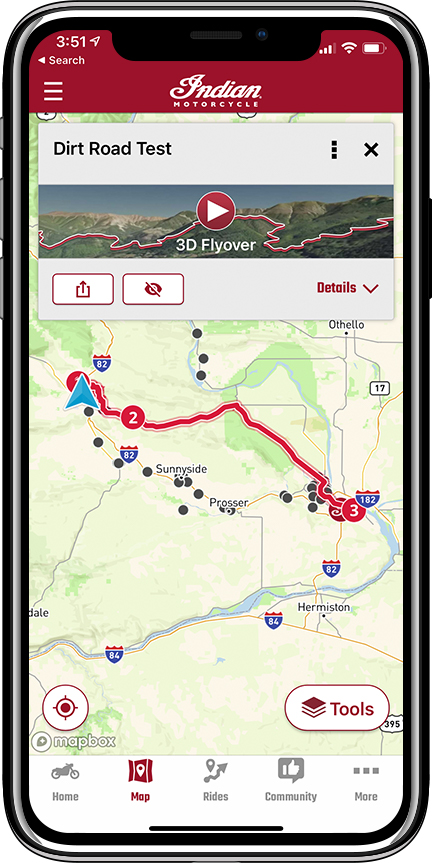
Some of the things missing from Indian Ride Command are filters to avoid unpaved roads, ferries, toll bridges, highways, and tunnels, which could leave you on an undesired dirt road on your street bike. Additionally, there are only two maps to choose from and no 3D maps while planning a trip, yet there is a 3D flyover that will show you your trip after it's planned but I'm not sure how useful it is. You cannot plan a ride on mobile but only on desktop and they do have a dedicated iPad app where you can at least see your planned rides. There is also no turn-by-turn navigation on IOS or Android mobile devices, so you have to upload the planned ride to your Indian Ride Command unit on your bike to get that.
When trip planning on Ride Command I did not like that there is a large search box on the left of the screen and a large route box on the right. You can neither close nor minimize either, leaving only a square box in the center to see the map and plan your ride. I really wish they'd allow the user to minimize those boxes as to have more screen real-estate to see the map and plan your ride.
I do like the responsiveness when making a route and you can easily drag the route to where you want it. Just as easily, you can delete a waypoint if you make a mistake. You can custom name your waypoints and see the time and mileage between them. Recording a ride on mobile is possible and you can also pass a planned ride from your mobile device via Bluetooth to the Indian Ride Command unit. Like Ride Planner and Rever, you can generate a link to easily share your planned rides with others.
Theoretically, you can import or export .gpx files. However, during my testing, it was not working. In fact, I exported a .gpx file created in Indian Ride Command and then tried to import it back to itself and it just gives an error stating, “please select a .gpx file”. I was able to export the Ride Command .gpx file and upload it successfully to Harly Ride Planner and the route was correct.
Ride Command is not supported on either Apple Car Play or Android Auto at this time.
Final Thoughts
At the end of the day, each motorcycle trip planning app has its strengths and weaknesses and it will really depend on your particular needs. I certainly hope this video and article will help you find the app that will work best for you.
Join the Free Email Club!
If you appreciate this free information make sure to join the thousands of law abiding bikers that have already joined the free Email Club! You will be notified of new useful motorcycle content and techniques as we put them out. Join the Community now!
*Exclusive Access & Benefits! Become a Patron!
*You can really help out for less than the cost of one coffee per month.

 I get asked all the time, “Ryan, what is the best motorcycle trip planning app and which one do you use?” So, in this video and article, I am going to go over 4 popular motorcycle trip planning applications for street and off-road adventure riding. And, what you need to know about each because they all have strengths and weaknesses. Understand, there is no perfect motorcycle trip planning app and much of it will depend on your personal needs. (see detailed video below)

 he maps.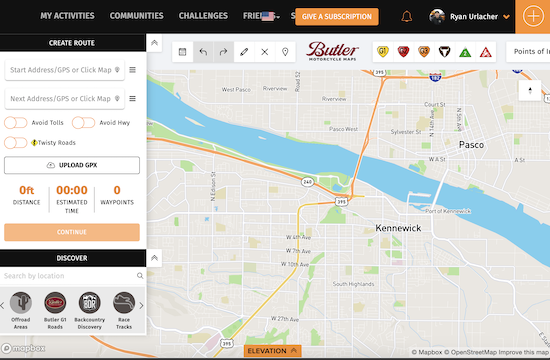

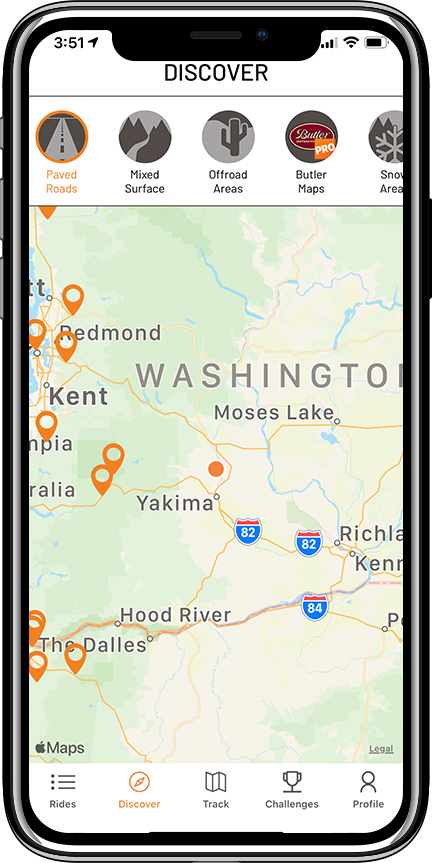 better roads, good roads, lost highways, paved mountain trails, and featured dirt roads. And, there are different color codes for the different types of roads, making them easy to find. If you've ever used Butler Maps you'll definitely appreciate this feature. Oftentimes, I go to Rever to see Butler Maps and then return to other mentioned apps as they are less busy.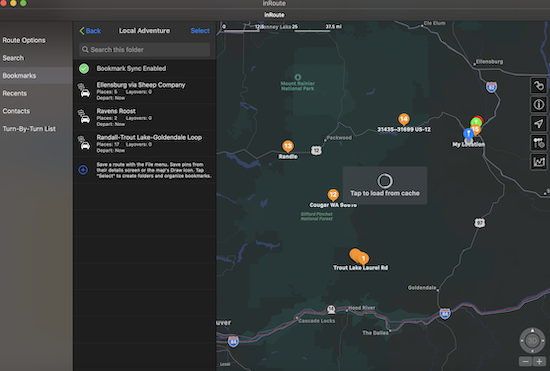

 name your waypoints and color code each pin to mean something different. Additionally, you can see your hours and mileage between waypoints and there are 3 maps to choose from, including 3D maps.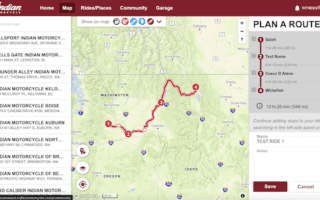
 screen and a large route box on the right. You can neither close nor minimize either, leaving only a square box in the center to see the map and plan your ride. I really wish they'd allow the user to minimize those boxes as to have more screen real-estate to see the map and plan your ride.