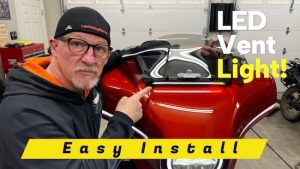
If you ride a Harley-Davidson touring bike, those stock fork reflectors are a wasted opportunity. Today I replaced mine with the Ciro Fork Nav Lights, sleek LED lights that dress up the front end and add a serious dose of visibility. Better chance all those cages see you coming, and that's a win in my book. I put them on my 2024 Harley-Davidson Street Glide, but they fit a whole range of Harley touring models, including the Road Glide and several CVO models. (see video below)
We love Ciro's stuff, and that's exactly why we carry it in the Law Abiding Biker Store. The Ciro Fork Nav Lights for Harley-Davidson Touring come in chrome or black and they're plug-and-play. We're just a bootstrap company of bikers helping bikers, we appreciate every customer, and we'll definitely take care of you. We're not like the big corporate stores. We actually use, test, and install many of the products we carry in our store and then make helpful videos for the biker community.

SUPPORT US AND SHOP IN THE OFFICIAL LAW ABIDING BIKER STORE
What the Ciro Fork Nav Lights Bring to Your Harley-Davidson Touring Bike
The Fork Nav Lights mount right where your stock fork reflectors live and give you dual-function LEDs: white running lights with integrated amber turn signals. When you fire up the bike, they run a startup lighting sequence that looks awesome. The lenses are high-strength polycarbonate with Ciro's GHOST Lens Technology, and they stick on with pre-installed 3M adhesive, so there's no drilling and no hacking up your bike.
 Which Harley-Davidson Touring Models Do They Fit?
The 2024-and-newer version covers a big chunk of the Harley-Davidson touring lineup, including:
- 2024 and newer Street Glide and Road Glide
- CVO Street Glide and CVO Road Glide
- CVO Road Glide ST
- Street Glide Ultra
- 2026 and newer Street Glide Limited, Road Glide Limited, and Glide ST CVO models
Check the full fitment list on the store listing before you order to confirm your exact model and year. And again, if you're on a 2014 to 2023 touring bike, we've got a run/turn version for you in the store.
Choose Your Adapter: Standard Adapter or Lightstrike Commander
This is the big decision you make at the time of purchase, and it's spelled out on the listing in the Law Abiding Biker Store in case you forget. One of these is required:
- Standard Adapter: Ties the Fork Nav Lights into your run and turn functions. Simple and effective.
- Lightstrike Commander: What I went with. It still handles run and turn, but it also connects to the Ciro Central Hub app (iOS or Android) so you can program the lights with different patterns, animations, brightness, and colors. And since I already have other Ciro lighting on my bike, the Commander lets me program all of it from one app.
 CHECK OUT OUR HUNDREDS OF FREE HELPFUL VIDEOS ON OUR YOUTUBE CHANNEL AND SUBSCRIBE!
Install Overview: Know This Before You Start
The install is not difficult, but there are a few things you need to know going in. I'm keeping the written version to a broad overview here, because the video shows you every step in detail, so scroll to the bottom to watch it.
Getting power up front. If this is your first Ciro product at the front of your bike, you need to run the leads under the tank, along the spine of the bike, and under the seat to your Standard Adapter or Lightstrike Commander. If you've already installed Ciro lighting up front, you've already done this part, and it's super simple from there. We have a detailed tutorial on running those leads at the bottom of our Ciro vent light listing in the Law Abiding Biker Store.
Fairing removal. You'll need your fairing off to make the connections. We've got a detailed video on removing both the shark nose fairing and the batwing fairing.
Start on the left side. This is the big tip. The left fork has the ABS speed sensor and a wire guide, which limits where that light can sit and still route the wire cleanly. Get the left side placed first, leave a little room so you can still pull that wire guide when you remove your wheel or caliper, then match the right side to it.
Left and right are color coded. Purple goes on the left, brown goes on the right, and that holds true across Ciro's lighting products.
Stock reflectors come off first. Pry them off with your fingers, use a heat gun, or run strong fishing line behind them. Don't use tools on your forks, or you'll mar them up.
Prep and placement matter. Clean the forks really well so that 3M tape gets solid adhesion, and mock up your placement before you peel the backing. You basically get one shot at this.
Test before you stick. Plug them in and make sure they work before you mount them.
The kit also comes with Y splitters and zip ties, so you can daisy chain the Fork Nav Lights in with your other Ciro products and tidy up the wiring along the stock lines.
 LISTEN TO THE LAW ABIDING BIKER PODCAST!
Programming the Fork Nav Lights in the Ciro Central Hub App
Since I'm running the Lightstrike Commander, I jumped into the Central Hub app to show you what these can do. The app found the Commander and recognized all my Ciro devices on the bike, including the new Fork Nav Lights. Make sure your firmware is up to date before you start playing around.
Once you're in, you can:
- Pick your startup animation for when you turn the bike on
- Dim or brighten the run lights
- Set your run color and animation color to white or amber (I kept white up front)
- Change how your turn signal function looks, with a bunch of different patterns to choose from
I only went through the app lightly in this video. If you want the full walkthrough on getting up and running with the Central Hub app from zero, check out our Ciro Filler Panel Lights for 2024 & Newer Harley-Davidson review and install. The detailed app setup is at the end of that video. I've also got Ciro bag blades and Matchete saddlebag lights on my bike, and they're all programmable from the same app.

BECOME A PATRON MEMBER AND GET BENEFITS!
Why I Love This Upgrade
The Ciro Fork Nav Lights are one of those mods that check every box. They make the front end of any Harley-Davidson touring bike look way more custom, they make you more visible to drivers, and they're plug-and-play. Whether you're on a Street Glide, Road Glide, or CVO, pair them with the Lightstrike Commander and you can make them do just about anything.
Get Your Ciro Fork Nav Lights at the Law Abiding Biker Store
Ready to light up the front end of your Harley-Davidson touring bike? Grab the Ciro Fork Nav Lights along with your Standard Adapter or Lightstrike Commander at the Law Abiding Biker Store. We actually install and test these products ourselves, and we'll take care of you.
Join the Free Email Club!
If you appreciate this free information make sure to join the thousands of law abiding bikers that have already joined the free Email Club! You will be notified of new useful motorcycle content and techniques as we put them out. Join the Community now!