By Bikers For Bikers
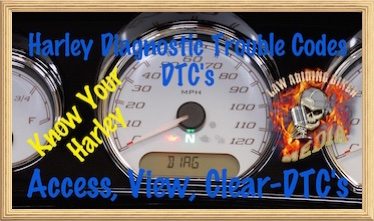 VIDEO-In this Free video we show you everything you need to know about accessing, viewing, and clearing your Harley Davidson diagnostic trouble codes (DTC). Every Harley owner should be very familiar with DTC's and learn what they mean. That way if you need advice by a dealership you can talk in an educated manner with them about your specific code and solutions. Once you look up your specific DTC on your Harley then there are smartphone apps, service manuals, and websites listing the Harley DTC's to learn what they mean and possible resolutions. In this video we cover pre 2014 and 2014 an above models as the procedures a slightly different. As a bonus, we show you how to access & view your DTC's by getting into the back-end of your Boom!™ Box Infotainment System.
As an example, DTC codes can appear for simple things like changing out your stock turn signals to aftermarket signals. Those simple codes can be cleared on your own if you choose & you don't need to pay a dealership that way. We are absolutely not telling you which codes to clear and that is completely at your own risk. We just want to educate you about DTC's. There are more serious type DTC's and you may want to consult your Harley dealership mechanic.
Another simple example is if you flash your engine control module (ECM) with an aftermarket electronic fuel injection (EFI) tuner. A DTC is often produced telling you that communication with the ECM was lost & if you choose the code can be cleared. There are many DTC's that are produced that are not significant in nature. Many of you are riding around right now with DTC's and are completely unaware and it is not affecting anything.
Other Videos We Offer:
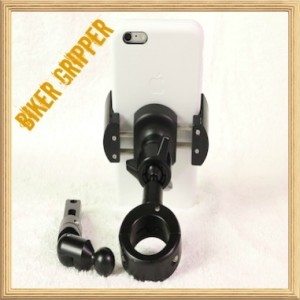 Our Custom Biker Gripper Cell Phone & GPS Mounts
- Need a motorcycle cell phone or GPS mounting solutionBikaholics?
- That's right, Law Abiding Biker Media put our logo on these mounts & we personally use them on our motorcycles!
- The sexiest, lightest, and strongest mounts available period.
- Good prices and fast shipping from our store?
- Check out our COMPLETE REVIEW
- That's right, Law Abiding Biker Media put our logo on these mounts & we personally use them on our motorcycles!
Accessing & Clearing Harley Diagnostic Trouble Codes (DTC's)
For Pre 2014 Harley Models, Please see Below on This Page
Instructions for 2014 & Above Models
Get Into DTC Viewing Mode:
- Press & Hold the odometer reader button located on the left handlebar control cluster
- While holding the odometer button down, turn Ignition On
- When the odometer window displays “DIAG” you can release the odometer button
Viewing and clearing DTC's: (Clear codes at your own risk)(Make sure you know what you are doing or consult a Harley mechanic)
- Push the odometer button and release to scroll through the different modules and codes
- If an item has a “Y” next to it then you have trouble code.
- Press and hold the odometer button to view the actual DTC
- Press & hold the odometer button to clear the code
- “CLEAR” will appear in the odometer window.
- Press & hold the odometer button to proceed with clearing the DTC
- “CLEAR” will appear in the odometer window.
- Press and release the odometer button to go back to the DTC module
Instructions for 2014 & Above Models equipped with the Boom!™ Box Infotainment System:
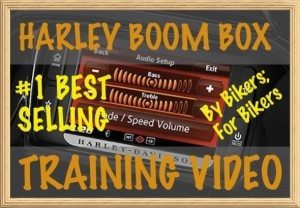
Get Into DTC Viewing Mode:
- Make sure the ignition and Boom Box have been off for at least 15 seconds
- Press & hold the power/mute button on the Boom Box
- While holding the power/mute button in, turn ignition to accessory position
- Keep holding the power/mute button down
- Wait until the Boom Box boots up
- Wait for the Boom Box main warning screen to appear
- Hold and additional 2 seconds
- Press the “accept” button to enter the Boom Box back-end
Viewing and clearing DTC's: (Clear codes at your own risk)(Make sure you know what you are doing or consult a Harley mechanic)
- Select the “DTC” button on the Boom Box screen to enter DTC mode
- If not DTC codes it will immediately say “No logged DTCs” and you are done
- If there are DTC's it will list them
- Select each one using the touch screen or your right joy stick/toggle on your right control cluster to cycle through the process
- To exit the DTC and back-end of the Boom Box system just turn the ignition to the off position
Instructions for Pre 2014 Harley Models:
Get Into DTC Viewing Mode:
- Press and hold the odometer button in (can be located in different positions depending on your model/year)
- While holding odometer button in, turn ignition to “on” position
- Keep holding the odometer button in until you see “diAG” appear in the odometer window
- Release the odometer button and you are in the DTC viewing mode
- Keep holding the odometer button in until you see “diAG” appear in the odometer window
Viewing and clearing DTC's: (Clear codes at your own risk)(Make sure you know what you are doing or consult a Harley mechanic)
- Press & release the odometer button to enter the DTC mode module
- Press & release the odometer button to cycle through the different modules
- To check any module press & hold the odometer button until it enters
- If it says “none” then that module has no DTC's
- If it says “yes” then press & release the odometer button to get the DTC
- You will also have an option to “clear” the code
- Press & release the odometer button again and it cycles to the HD part number for that module
- Press & release the odometer button and it cycles back to the main module
- Continue as stated above to continue to check each module for DTC's
- If it says “none” then that module has no DTC's
- To check any module press & hold the odometer button until it enters
- Turn ignition off to exit DTC mode
 DTC IOS App by CommandSoft (Affiliate Link)
- We use this app and have had good luck with it
This application is designed for Harley Davidson owners to lookup Diagnostic Trouble Codes (DTCs) that are reported by the engine and read about what they mean and possible causes and resolutions.
Here is how it works. You run Harley DTC and enter the DTC code you wish to lookup. The application finds the closest match and brings up a list of all codes. From there you can enter a detail screen showing the code and useful definitions. You also can then read the documentation from the main page to read more about the codes, possible causes and resolutions.
Other Solutions to learn about a particular DTC:
- Purchase a Harley Davidson Service Manual from your dealership
- You will get up to date DTC's