[vc_row][vc_column width=”1/1″][vc_column_text]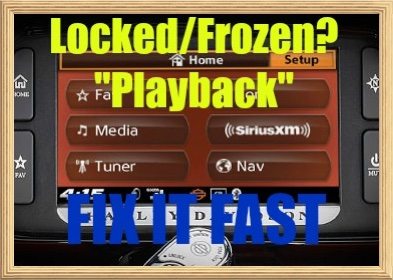 Bikers/motorcyclists and Harley dealerships often reach out to Law Abiding Biker® Podcast & Media for our expertise & guidance with the Harley Davidson Boom!™ Box Infotainment System and our #1 best selling Boom!™ Box tutorial videos.
Recently, we received an inquiry where an individual was having a problem when synced between his smartphone and his Boom Box system via bluetooth and playing music. The music playback would stop/freeze and he was also not able to fast forward, rewind, or move on with the joystick toggles on the handlebars or via the touchscreen on the 6.5 Boom Box model. It was also tested with the smartphone/music player plugged directly into the Boom Box via the USB port in the juke box compartment on the Harley and the same issue presented itself.
Many times in the past we have fixed situations like this by flashing the Boom Box system back to factory etc. See our original Boom! Box Tutorial Video to learn how to do this & a ton of other things. It can solve many issues if your system locks up.
Normally, when synced (bluetooth) via a smartphone or iPod (MP3 player) with the Boom Box or when plugged directly in via a USB cable you can control your music player/smartphone via the toggles on the handlebars or via touch screen. This is the way it is supposed to work.
He even took his Harley to the dealership and they were stumped and didn't know what to tell him to fix his Boom Box. This is a very common experience and no fault of the dealerships as Harley headquarters threw this system on them with little or no training.
After much testing it was determined that in this individual's music playlist on his smartphone/music player were several video files that would also play music. However, the Boom Box system does not accept video files and locked/froze up, because it does not know how to read them.
So, whether you are playing music through your Boom Box system via a smartphone, iPod, MP3 player, or with a thumb drive/memory stick make certain you have no video files hidden in there and you will avoid this issue.
 If you want to stay up to date on all Harley Davidson Boom!™ Box updates and issues, subscribe to the free Law Abiding Biker Email list below:
YOUTUBE SUBSCRIBE HERE: Keep checking back here, subscribe to our YouTube channel, and listen to the weekly Law Abiding Biker® Podcast (iTunes or Stitcher Radio) to stay up to date on this and a ton of other street motorcycle related content.
Here are some very helpful videos, so you can become familiar with and operate the Boom!™ Box system to include updating the system software:
- TUTORIAL VIDEO-Complete Harley Davidson “Boom Box” Infotainment System GPS Stereo Tutorial
- TUTORIAL VIDEO-Harley Davidson Boom Box Infotainment Software & Map Update Tutorial
- TUTORIAL VIDEO-Complete Harley Davidson Ride Planner & GPS Guide
[/vc_column_text][/vc_column][/vc_row]