[vc_row bg_type=”no_bg”][vc_column][vc_cta_button2 h2=”See ALL Official Boom!™ Box Tutorial Videos! ” h4=”-Join the thousands of bikers that are no longer stressing!” title=”CHECK THEM OUT NOW!” btn_style=”3d” size=”lg” position=”bottom” accent_color=”#dddddd” link=”url:http%3A%2F%2Fwww.lawabidingbiker.com%2Fharleyboombox||target:%20_blank”]
Videos By Bikers For Bikers
[/vc_cta_button2][/vc_column][/vc_row][vc_row][vc_column][vc_column_text]
If you want to stay up to date on all Harley Davidson Boom!™ Box updates and issues, subscribe to the free Law Abiding Biker Email list below:

Harley Davidson and Harman Kardon just released Boom!™ Box software update version 1.20.1 on August 23, 2016. This comes after software update versions 1.19.2 was released in February 2016. We have received many inquiries from bikers asking if they should update to this latest version. It is always a good idea to wait and see if an update fixes more than it breaks and let me have some time to test things.
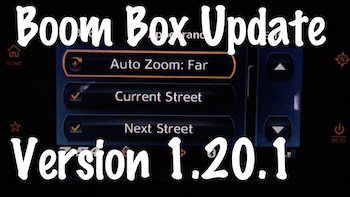 Note: This particular update if for the Boom Box 4.3 Standard, 6.5T Premium, and the CVO 6.5GT systems. I give the go ahead to update to this new Boom Box software update version, 1.20.1.
I installed and tested this update for you. As usual, don't expect any miracles and that suddenly all things will be fixed for ever user. They still have a long way to go to get rid of all the problems that persist with the Harley Boom!™ Box Infotainment System. We are all skeptical that they'll ever get the Boom Box working perfectly at this point.
FAQ:
Question: If I get behind on updating my Boom Box software, will I have to go back and install each past update I missed?
Answer: No, you do not have to update incrementally. If you get behind, just grab the latest software update here and install it. It will update everything you need including past updates. There is no access to the older updates from the Harley website anyways.
Resources & videos:
-
Harley Boom Box Software Update Version 1.19.0
-
Harley Boom Box Software Update Version 1.19.1
-
Harley Boom Box Software Update Version 1.19.1.1
-
Harley Boom Box Software Update Version 1.19.1.2
-
Harley Boom Box Software Update Version 1.19.2
Remember; The Harley Boom!™ Box still has many annoying bugs and problems, so don't expect this software update to suddenly fix everything.
If you don't know how to properly update your system software and maps then check out my Official Boom!™ Box Software Update Video.
This update claims to fix the following: (1.20.1)
Issues Fixed:
Improvements:
• Zoom out levels have been increased to allow for viewing
of longer routes.
• Azerbaijan Map has been added to the ROW map database.
• The heading directional display will now operate as a
traditional compass with the top representing the direction
ahead and the rotating needle shall point to the direction of
North.
• The disclaimer or “Accept” screen will now auto advance
after 15 seconds.
Added Features
• Autozoom can be configured in Navigation Setup
Appearance menu.
• There are four separate levels based on what zoom level
the map will return to after the autozoom.
i. OFF – Autozoom is disabled (default)
ii. NEAR – It will return to the tightest scale.
iii. NORMAL – It will return to the middle scale.
iv. FAR – It will return to the widest scale.
• Vehicle Information screen will display “OK” or “Check Oil”
for oil pressure on MY17 models. Oil pressure values can
be enabled with a P&A accessory for MY17 vehicles.
Fixes:
• Endless authentication during navigation updates
• Radio starting in clock/off screen display
• Access to tire pressure info on applicable models while in
clock/off screen display
• XM stuck in “retrieving data” screen
• Score updates through XM are not automatic after adding
team to favorites
• Voice recognition feature for “search by channel name”
• Bluetooth Audio stuck in fast forward when held between
songs
• Quick press of “back” in genre search results in empty list
• Seek through presets of multiple USB devices pauses media
• Going from XM to audio menu back to XM removes button
text
• Selecting “back” from POI location search defaults to “Near
Location”
• Quick key cycle with MTP device results in screen staying
off
• Reduced time to index device with large number of songs
• 100% Precipitation displayed as “10%” in weather screen
• Map response improvement at elevated zoom levels
• GEO coordinate entry in some languages
• Navigation prompts “Repeat” button functionality addressed
• Tuner scan stops after 2 times around band
• Radio waking up while in clock screen
• Correction to RDS traffic functionality (HDI and ROW units)
D ownload Update
The Boom Box & Harley Davidson Ride Planner have been working pretty well together. The Boom Box Navigation has been more stable too! If you aren't using Harley Davidson's Ride Planner to integrate with your Boom!™ Box system then you are missing out on all the awesome capabilities. I have a great Harley Davidson Ride Planner video that will teach you everything you need to know on how to use the free software, download a planned ride, and upload it into your Boom!™ Box.
Of course the purchase of any of my Boom!™ Box series of videos includes free updates as things change with the software updates or new things are learned. All customers that have already made a purchase are getting the latest information, tips, and tricks for free. That is my commitment to the biker community! That's how I roll……………..
Law Abiding Biker Podcast: (Get hooked up and don't miss out)
We discuss the Boom!™ Box system and up to date issues frequently on the weekly Law Abiding Biker Podcast, so get subscribed and always have the freshest information! You aren't going to get it from Harley-Davidson-trust me on that.
- iTunes (Apple/iPhone/iPad)
- Our Official App
- Google Play Music
- Stitcher Radio (Android)
- Listen from this website
- TuneIn Radio
As I have stated, Harley Davidson put the cart before the horse a bit on the Boom Box for the Rushmore Project and is playing catch up now. The system is awesome, but has several issues. I truly believe these issues will be corrected in time with the ongoing software updates.
Remember, the Boom Box is just a computer and needs routine software and map updates just like your smartphone or computer. They are constantly improving the way the system operates and fixing bugs, so this is critical.
Here are some very helpful videos, so you can become familiar with and operate the Boom!™ Box system to include updating the system software:
- TUTORIAL VIDEO-Complete Harley Davidson “Boom Box” Infotainment System GPS Stereo Tutorial
- TUTORIAL VIDEO-Harley Davidson Boom Box Infotainment Software & Map Update Tutorial
- TUTORIAL VIDEO-Complete Harley Davidson Ride Planner & GPS Guide
Keep the rubber side down and the shiny side up![/vc_column_text][/vc_column][/vc_row]