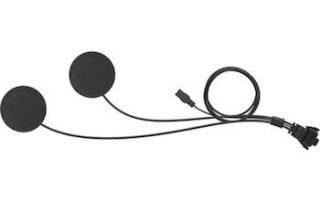
Sena HD Speakers
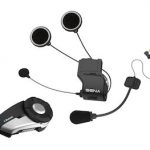
Sena's new High Definition (HD) Speakers give you the same great sound just like the new Sena 50 series Bluetooth Communicators. Plug and play speakers connect to the standard Sena connector. Audio equalizer presets are available in the Sena smartphone app and/or the Harley Boom Box Infotainment System. Firmware update needed. (See resource links at the bottom for firmware info and tutorial videos!)
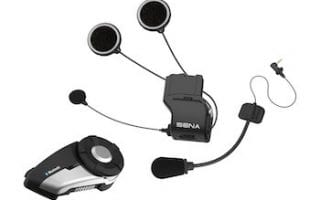
Sena High Definition (HD) speakers work with:
- Regular Sena 20S, 20S EVO, 30K, and 50S units
- Harley Boom Audio Sena 20S EVO and 30K units
Once you have the latest version of firmware installed in your compatible Sena headset and adjust settings in the Sena smartphone app and/or in the Harley Boom Box Infotainment System, you'll get high-definition sound out of these speakers along with audio equalizer presets. Upgrade now!
More Information:
If you have any questions about current versions of Harley/Sena headset firmware updates or need the desktop device manager you can get it below. Please contact Harley-Davison support and Sena support directly with any questions or concerns about firmware versions and/or updates.
- Regular Sena Device Manager Firmware Updates Page
- Harley/Sena Device Manager and Sena Firmware Updates Page
 If you want to learn everything you need to know about the Harley-Davidson Boom Box Infotainment System and to get the most out of it, then check out our very popular Boom Box Video Tutorial Series!
**If you appreciate this article and video and find it helpful, please consider purchasing Sena HD speakers through the Law Abiding Biker Store!**
Other Helpful Resources:
- OUR BOOM BOX VIDEO TUTORIAL SERIES
- WATCH SENA HELMET INSTALL VIDEO
- SENA HEADSET SOFTWARE UPDATE VIDEO
- MY HELMET IN THIS VIDEO
- SENA UTILITY APP AND SOFTWARE
- HARLEY BRANDED DESKTOP MANAGER AND SOFTWARE
Join the Free Email Club!
If you appreciate this free information make sure to join the thousands of law abiding bikers that have already joined the free Email Club! You will be notified of new useful motorcycle content and techniques as we put them out. Join the Community now!
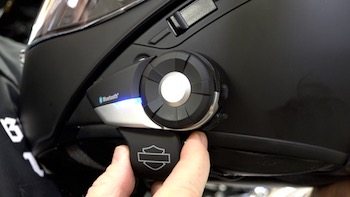
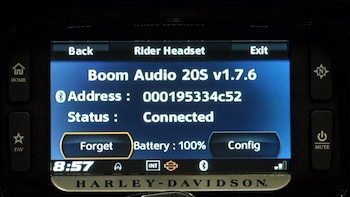
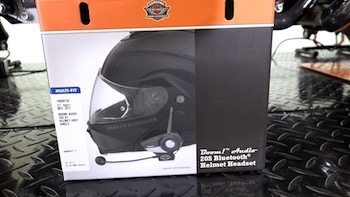


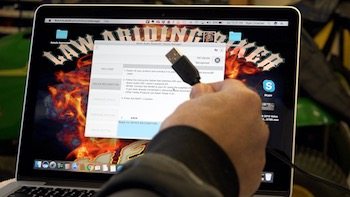 Video-We show you how to hook your Harley Wireless Headset Interface Module or “WHIM” into a laptop and update the software using the Boom Audio Bluetooth Device Manager, which is made by Sena for Harley-Davidson. We show you where to get the appropriate desktop application and where to get the latest version of system software.
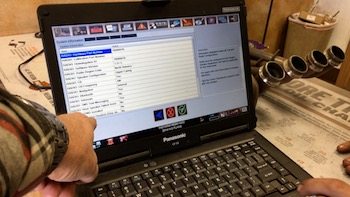 Video-Using the Harley dealership Digital Technician software, we show you how to flash a Boom Box Infotainment System after installing a Wireless Headset Interface Module or “WHIM”. Only authorized dealerships have access to this software. There is a specific process that needs to be followed and particular boxes that need to be checked for a successful flash. After a successful Boom Box flash, you'll have a new menu item in your setup options called “Wireless Headset”. If you see that then you know it was successful.
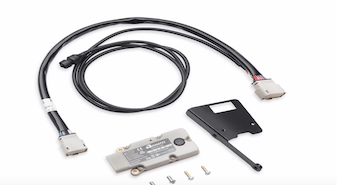 Review-The Harley Wireless Headset Interface Module (WHIM) is now available for '14-later Touring and Trike models equipped with Boom! Audio 6.5GT Radios, this Wireless Headset Interface Module (WHIM) lets you communicate with your bike without being wired to it. The WHIM Bluetooth adapter permits wireless connectivity to the 6.5GT Infotainment system, allowing you to communicate via CB radio, hear turn-by-turn GPS directions, listen to your favorite radio stations and so much more all through your Bluetooth®-enabled headset.