By Bikers For Bikers!
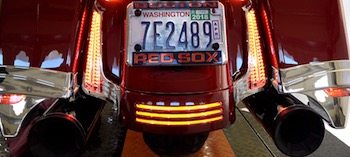 In this completely free tutorial video, we show you how to install Ciro 3D Filler Panel LED run/brake/signals on your Harley-Davidson touring motorcycle. From the install to getting everything plugged in correctly, we have you covered.
 SUPPORT US AND GET CIRO 3D PRODUCTS RIGHT IN OUR OFFICIAL ONLINE STORE!
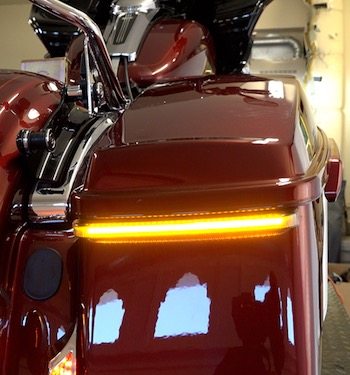
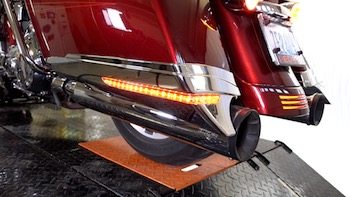
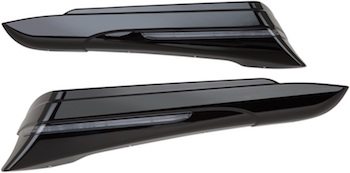
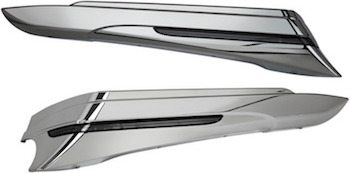
The new Ciro Filler Panel LED Lights complete the rear end of your Harley touring model by adding red running/brake lights and amber turn signals to the stock filler panel area. This part dramatically increases visibility from the rear by incorporating an ultra-bright plasma amber turn signal along with red low-intensity running and high-intensity brake lights.
Ciro 3D filler panel lights are available for Harley Street Glides, Road Glides, Ultras, and Road Kings!
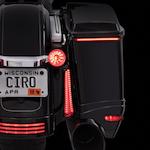
Safety and visibility at the rear of your Harley-Davidson are so very important and Bag Blades can provide that additional lighting that catches the attention of that motorist behind you texting and not paying attention. That's a reality and you may not get a second chance if you get rear-ended on your motorcycle.
Get Ciro 3D Filler Panel Lights in our Official Store:
Mentioned in video for rear brake strobe patterns: (affiliate link)
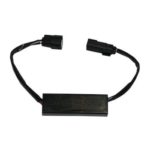 Custom Dynamics Magic Strobe Brake Light Modulator For Harley Touring
Join the Free Email Club!
If you appreciate this free information make sure to join the thousands of law abiding bikers that have already joined the free Email Club! You will be notified of new useful motorcycle content and techniques as we put them out. Join the Community now!
 lls have been erected. We have been working hard for over 4 years now helping the law abiding biker community worldwide with the videos on our YouTube channel, our weekly podcast, and our website articles. With the awesome support of the community, we are trying to take things to the next level to better serve the biker community. We must expand to fulfill our future visions.